
AlonLearn / Course administration
Sign-up, attendance and certificates
in the same system.
For those of you coordinating eLearning, webinars and physical courses side by side — and tired of hopping between Excel, Word and four different tools. Used by the Norwegian Nurses Organisation, DFØ and the County Governors — with a new sign-up every minute on the platform.
«Today the course administrator chases participants through the CRM to send messages, the publishing tool to take sign-ups, and the finance system to invoice each one — and uses Excel as the glue between them.»
AlonLearn brings sign-up, communication, invoicing and reporting into the same system.
ONE WORKFLOW
From four systems to one.
What customers complain most about: the CRM for sending messages and finding relevant participants, the publishing tool for creating the course online and taking sign-ups, the finance system for invoicing each registration — and Excel as the glue between them all. AlonLearn brings sign-up, delivery and invoicing into one interface. You log in once.
Publish and open for sign-up
Create the course, publish it online and take sign-ups — without going via a separate publishing tool.
Replaces CMSFind participants and send messages
Find relevant participants, send sign-up confirmations, reminders and communication — without switching to a separate CRM or Outlook.
Replaces CRMInvoice each sign-up
Invoice data per participant goes straight to the finance system — plus completion rate, attendance and certificates ready for the board or auditor.
To finance systemHow it looks
From new activity to finished report.
You create the course, participants fill the participant list, and the report shows what actually happened — same interface the whole way, no export-import washing in between.
The course builder
Choose type, set date and capacity, attach email templates and certificate template. Use an existing template or copy the last course. Takes minutes, not hours.
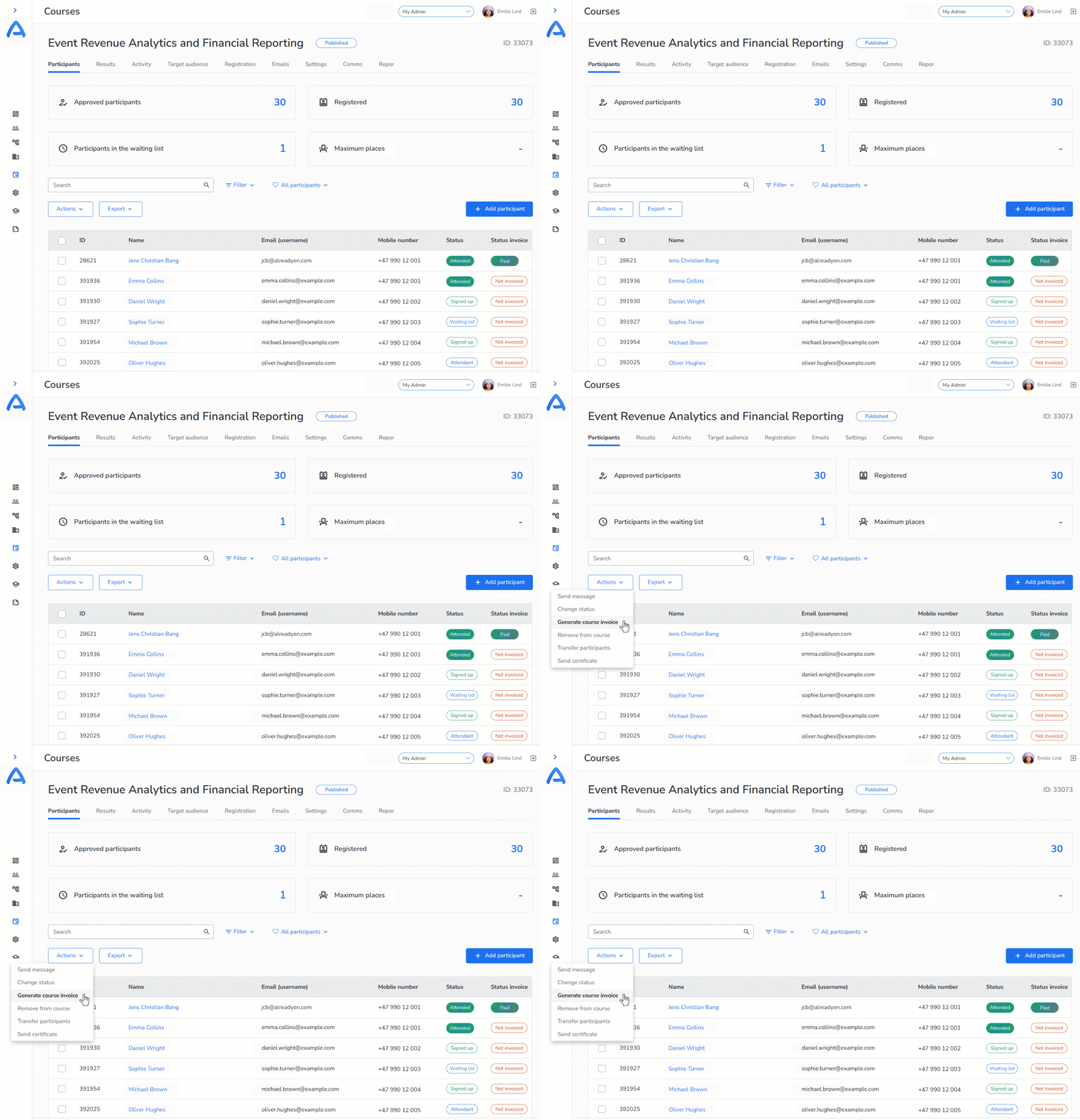
Live participant list
Registered, paid status, attendance and certificate — all on one page. Filter, search, sort and run bulk actions without exporting to Excel.
Course-level report
Completion rate, attendance, evaluation and certificate — aggregated automatically. Export to CSV or PDF and send to leadership the same day.
CREATE AND STRUCTURE
Build the course once. Repeat without rebuilding.
The course builder takes you from blank page to finished course in minutes. Templates, copying and bulk operations mean the next course gets easier — not a clone of the same manual work.
Create a course in minutes
Choose the type — physical, eLearning, webinar or blended — and fill in name, date, capacity and price. The rest — sign-up form, participant list, email templates and certificate — wires itself up automatically.
Copy and repeat
Duplicate the entire course setup for the next session with one click — change dates, venue and capacity; everything else follows. Stop rebuilding the same course from scratch three times a year.
Templates for course types
Turn a well-working course into a template and use it as the starting point for new ones. Subject leads don't start with a blank page — they edit a template that already has the right structure, email copy and pricing setup.
Course settings in depth
Open or closed course, waitlists, automatic waitlist promotion, pricing, payment deadline, cancellation rules, capacity and audiences — all in one place.
Custom fields per course
Need to know allergies, t-shirt size, hotel preference or which professional track the participant wants to follow? Add the fields you need on this specific course — without cluttering the others.
Bulk operations
Move 50 participants to the next course, send a reminder to everyone who hasn't paid, generate certificates for everyone who completed, export or import CSV — in one click, not 50.
PARTICIPANTS AND SIGN-UP
Participant lists that live — without Excel
Sign-up, payment, waitlists, cancellations, attendance and communication — all on the same page. Filter what you need, run bulk actions on what you've selected.
Live participant list
One overview shows who is signed up, paid, completed, holds a certificate and any special needs they've declared. Filter, search, sort — no Excel export.
Waitlists with auto-promotion
When someone cancels, AlonLearn automatically picks up the next person on the waitlist — with sign-up confirmation and a payment link. You do nothing. The seat is never unnecessarily empty.
Cancellation on your rules
Set the cancellation deadline and refund rules per course. Participants cancel themselves via My page within the deadline; after that, the request lands with you for approval.
QR attendance on the day
At physical gatherings and hybrid courses you scan participants in and out with a QR code. Attendance time is measured automatically and used for the certificate — no paper lists, no Excel.
Automated confirmations and reminders
Sign-up confirmation, receipt, calendar file, 7-day reminder and last-day reminder — all triggered automatically. You edit the templates, AlonLearn sends.
CSV export and import
Need to share the participant list with someone else in the organisation? CSV export in one click. Need to enrol 200 employees from an HR list? Import CSV — AlonLearn matches on email or employee ID.
ROLES AND PERMISSIONS
The right role for the right person
The subject lead doesn't need to see payment data. The instructor doesn't need to be able to delete the course. The observer should only look. Roles are set per course or across — you decide.
Course administrator
Full control of the course: create, edit, participants, communication, certificates and reports. Typically the person who "owns" the course in their calendar.
Subject lead
Edits the content of the subject session, approves results and signs the certificate — but doesn't need to see payment status or invoice details.
Instructor / lecturer
Sees the participant list with names and contact details, can register attendance and upload materials — but can't change prices or refund payments.
Observer
Read access for managers, controllers or auditors who need an overview without being able to change anything. Audit-trail friendly.
12 manual steps in typical course administration — how many can you cut?
Get a short checklist by email: 12 typical manual steps (from sign-up confirmation to certificate), how long they take on average, and how many AlonLearn automates for you. Concrete, not generic — and no sales call.
Get the checklist by email →CERTIFICATES
Certificates that issue themselves
Set the criteria once per course template — completed, attendance over 80%, exam passed. The certificate is issued automatically when criteria are met, with your template, your logo and the subject lead's signature.
Automatic issuance
Set the criteria — eLearning completed, attendance over 80%, exam passed — and the certificate is issued automatically when criteria are met. No manual sending, no overlooked participants.
Your own certificate template
Logo, colours, fonts, subject details and signature — the look matches your organisation. Build multiple templates if different course types need different certificates.
Scanned signature on the certificate
Upload a scanned signature that's placed automatically on all certificates from the template. Replace the file when the subject lead changes — no editing the template itself.
My page for the participant
The certificate sits on the participant's My page — always available for download or sharing on LinkedIn. Stop resending it six months later when someone has lost the file.
REPORTS
The numbers the board actually asks for
Completion rate, attendance, evaluation, no-show, certificates issued — all aggregated automatically at course level and exportable to leadership, auditor or the board the same day.
Completion rate per course
How many started, how many completed, how many fell off along the way? Per course, per audience, per period — without opening Excel.
Attendance and no-show
See who actually showed up at physical gatherings and webinars. Compare registered against attended — spot no-show patterns and adjust overbooking accordingly.
Evaluation and NPS
Send out an evaluation form automatically after course end. Results are aggregated per course — you quickly see which courses shine and which need a loving hand.
Export to anything
CSV, Excel or PDF. Send to leadership, auditor or the board. Custom reports can also be built if you have standard reports you run every month.
Customer quote — Norwegian Nurses Organisation
«AlonLearn supports our business processes for both physical and digital activities. Everything from invitation, sign-up, payment and attendance is done in AlonLearn.»
Want to share this page internally?
Get a 2-page overview of course administration in AlonLearn — as a PDF you can share with leadership, HR or subject leads.
Get the 1-pager (PDF) by email →Integrations
Connects to the tools you already use.
SSO via Entra ID, calendar via iCal, Stripe for payments, SparkPost for email, Strex for SMS reminders — all seamlessly integrated. CSV import for HR lists and open APIs for those who want to connect deeper.
BLENDED LEARNING
Same administration for every course format
eLearning, webinar, physical gatherings or learning paths — every format is administered from the same interface, with the same participant list and the same certificate template. No separate tools per format.
eLearning
SCORM courses tracked in real time. The administrator sees who is in progress, how far they've got and what they score.
Webinar
Live streaming via Vimeo with automatic attendance measurement. The certificate is issued when the participant has watched enough of the stream.
Physical courses
QR attendance, participant list on the phone and custom fields for allergies and practical needs.
Learning paths
Combine several courses into structured paths — the certificate is issued when the entire path is completed, not for each building block.
GO DEEPER
The whole learning stack in AlonLearn.
Course administration is the framework. eLearning, webinar and learning paths are the building blocks that fit into the framework. Explore them here.
eLearning →
AI-generated SCORM courses that participants take at their own pace — build the course content yourself and publish it through the same administration interface.
Webinar and streaming →
Live webinars via Vimeo with chat, Q&A and polls — create, run and issue certificates from the same administration interface as physical courses.
Learning paths →
Combine several courses into structured learning paths for onboarding, certification and competence development — with a shared participant list across the path.