From upload to certificate: how AlonLearn and SCORM Cloud fit together
E-learning should feel effortless for the participant, and give full oversight to whoever administers it. The challenge is that those two things often require completely different tools: one system to manage courses, enrolments and payment – and another to actually play the content.
At AlonLearn we solved this by connecting our own course and participant system with SCORM Cloud, the industry-leading playback engine for e-learning. The result is one seamless experience: the participant enrols, completes the course and sees their results – without ever noticing that two systems are at work.
In this article we walk through the three integrations that tie AlonLearn and SCORM Cloud together.
What is SCORM Cloud?
SCORM is the established industry standard for e-learning content. When you build a course in an authoring tool such as Articulate or Storyline, you can package it as a SCORM package – a single file that contains the entire course: videos, quizzes, tests, animations, cards, text-to-speech and exams with a requirement for how many percent correct the participant needs to pass.
SCORM Cloud (from the company Rustici) is the service that plays these packages and keeps track of how far each participant has come. It is the market leader and exceptionally good at exactly that: playback and tracking.
Our philosophy is simple: we don’t build our own player when a best-in-class one already exists. Instead we connect SCORM Cloud seamlessly into AlonLearn – so you get the best of both worlds: a full-featured course and membership system on the outside, a professional learning engine on the inside.
Integration 1: Upload and link to a course
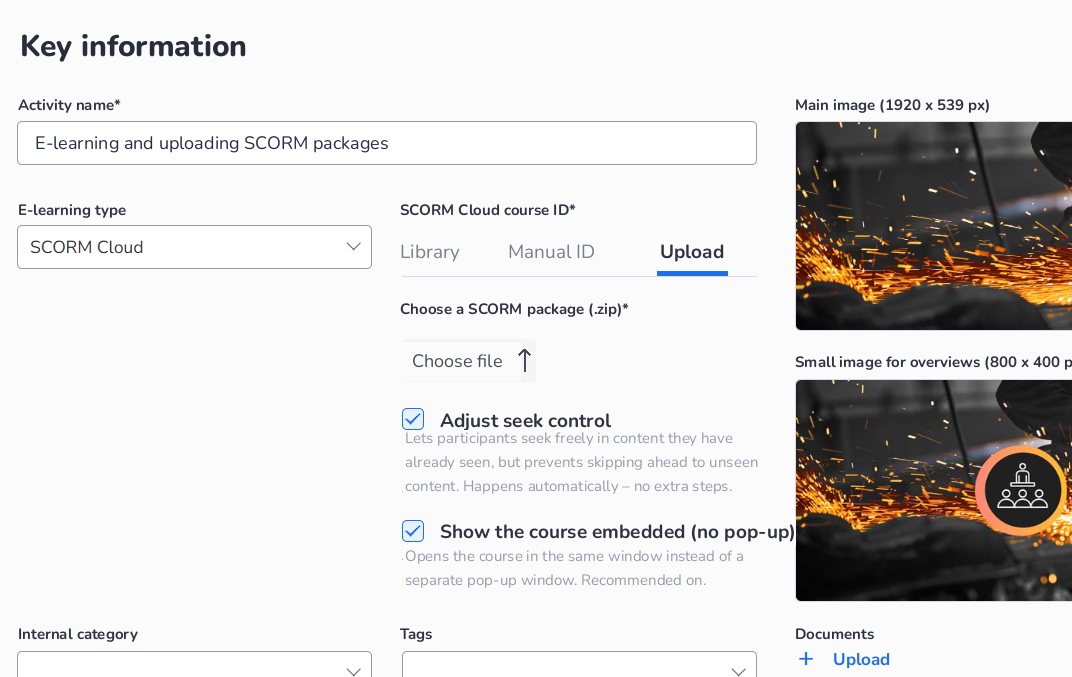
It all starts with the content. From course administration in AlonLearn you upload the SCORM package directly – without ever touching SCORM Cloud’s own interface. You can upload packages of up to 4 GB, which is plenty even for heavy courses with lots of video.
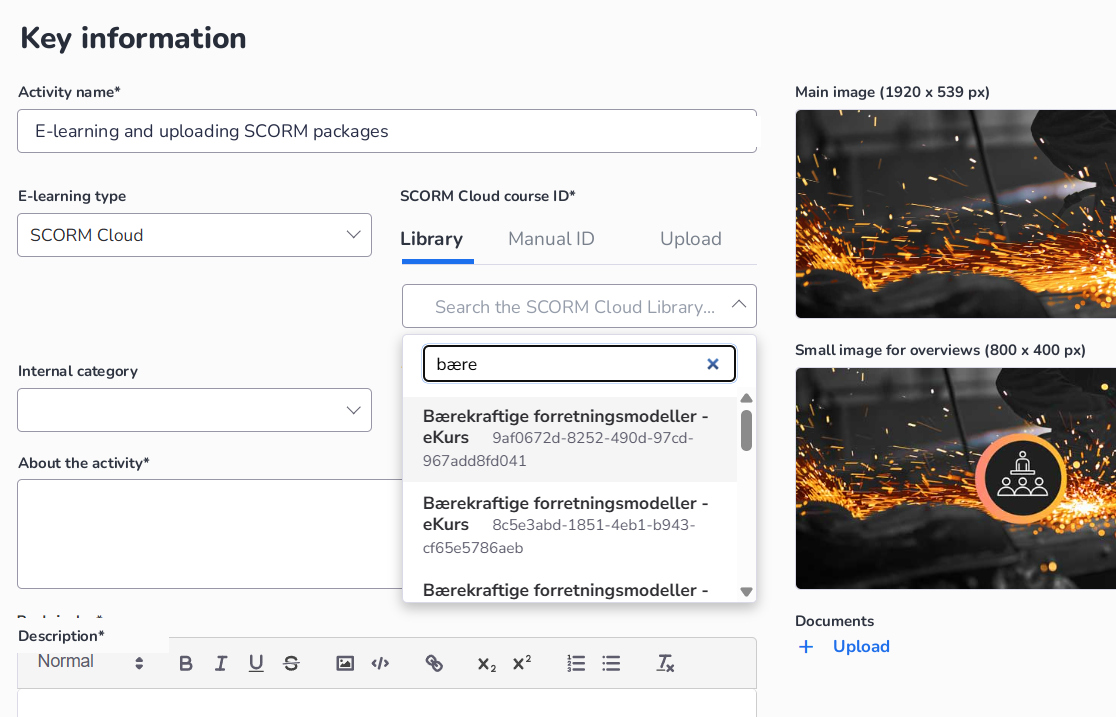
If you already have courses in SCORM Cloud, you don’t need to upload again. AlonLearn has a searchable library integrated with your SCORM Cloud library, so you simply pick an existing course from the list and link it to the activity.
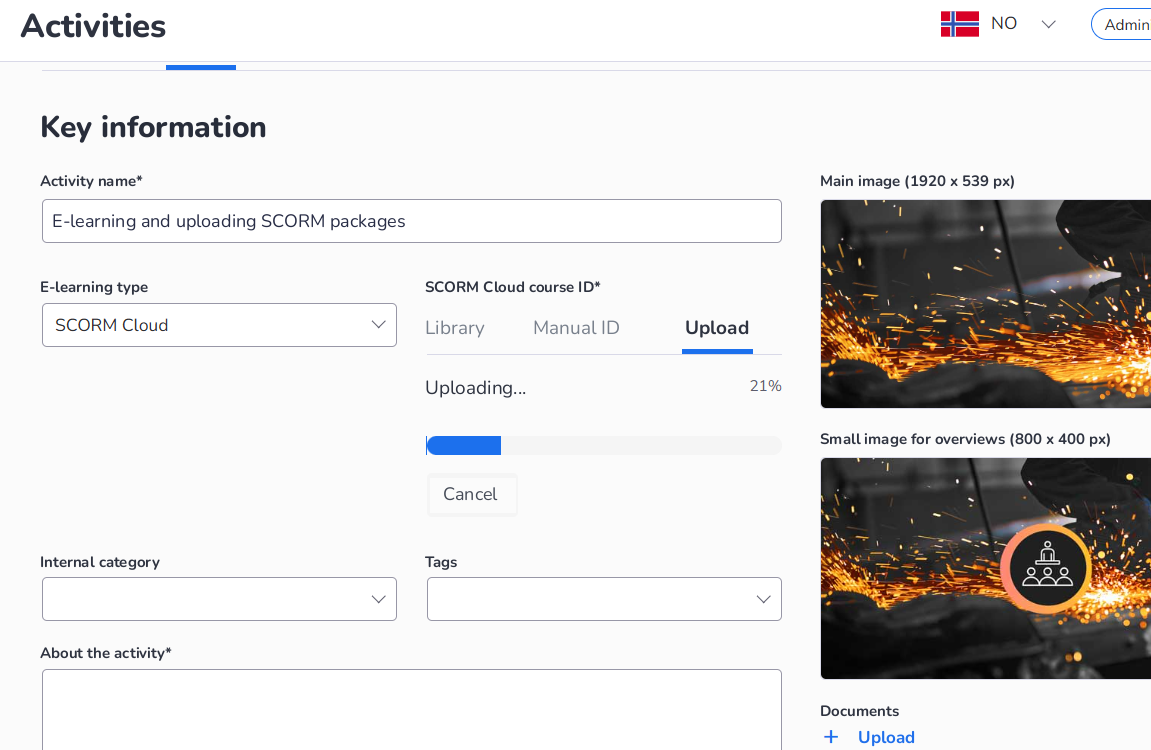
The upload itself is handled in the background. AlonLearn sends the package to SCORM Cloud, formats the content and configures the right settings automatically. You follow the progress and get a clear confirmation when the course is ready – including that seek-guard has been added to every video.
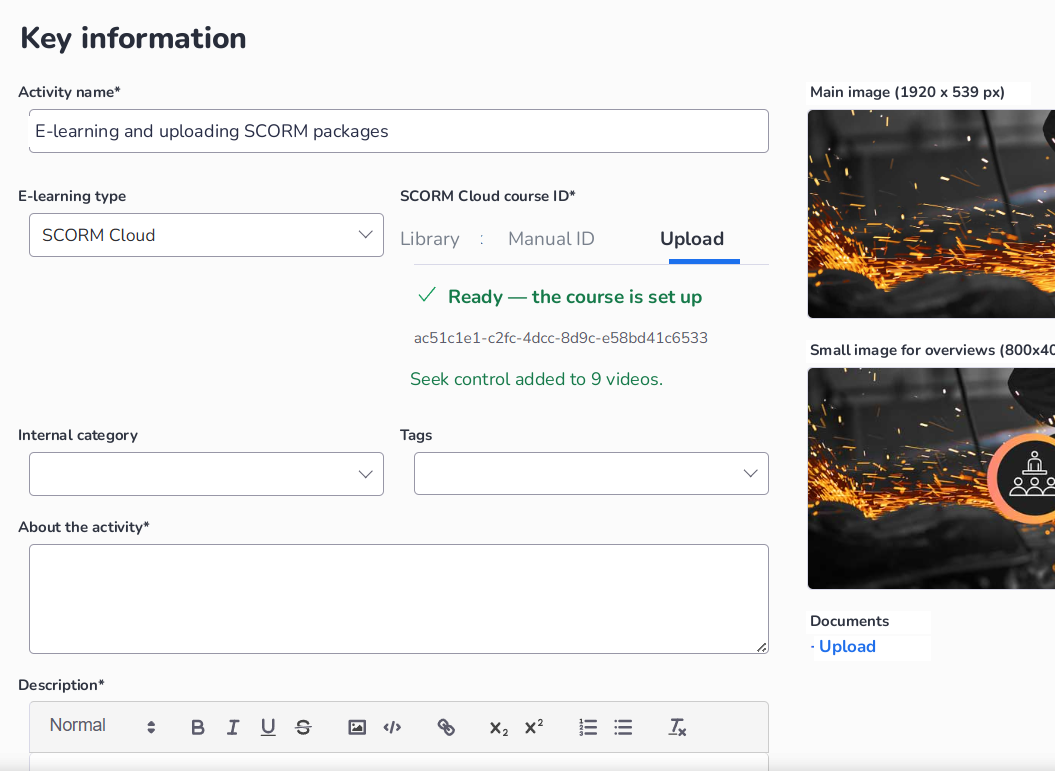
Once the content is in place, it links to the rest of the course in AlonLearn: participants can read information about the course, enrol, pay if required – or be enrolled by a course administrator or manager. And they can start the e-learning directly from the course page.
Seek-guard: e-learning that holds up against compliance requirements
One of the checkboxes in the upload deserves its own section, because it solves a real problem for many organisations: seek control, or the «seek-guard».
For some courses it is essential that the participant has actually watched the content – not just clicked through to the end. A good example is auditors and accountants, who must document completed continuing-education hours to the financial supervisory authority. It isn’t enough that the system thinks the participant completed it; the participant must genuinely have gone through the content.
The seek-guard solves this elegantly: it lets the participant seek freely within content they have already watched, but prevents them from skipping ahead past content they haven’t seen yet. Honest users who want to jump back and revise notice nothing of the restriction. Anyone trying to shortcut their way to «completed» is stopped.
Best of all: you don’t have to do anything technical. Tick «Adjust seek control» on upload, and the guard is added automatically to every video in the package – as the confirmation «Seek control added to 9 videos» showed above. This is functionality we have built ourselves, and it makes e-learning in AlonLearn safe to use wherever compliance requirements must be documented.
The other checkbox, «Show the course embedded (no pop-up)», ensures the e-learning opens in the same window instead of a separate pop-up window. That way the participant avoids the blocked-pop-up warning that otherwise appears by default – and goes straight into the course.
Integration 2: Seamless, anonymised launch
The second integration is about the transition from AlonLearn to the e-learning itself – it has to be completely frictionless for the participant.
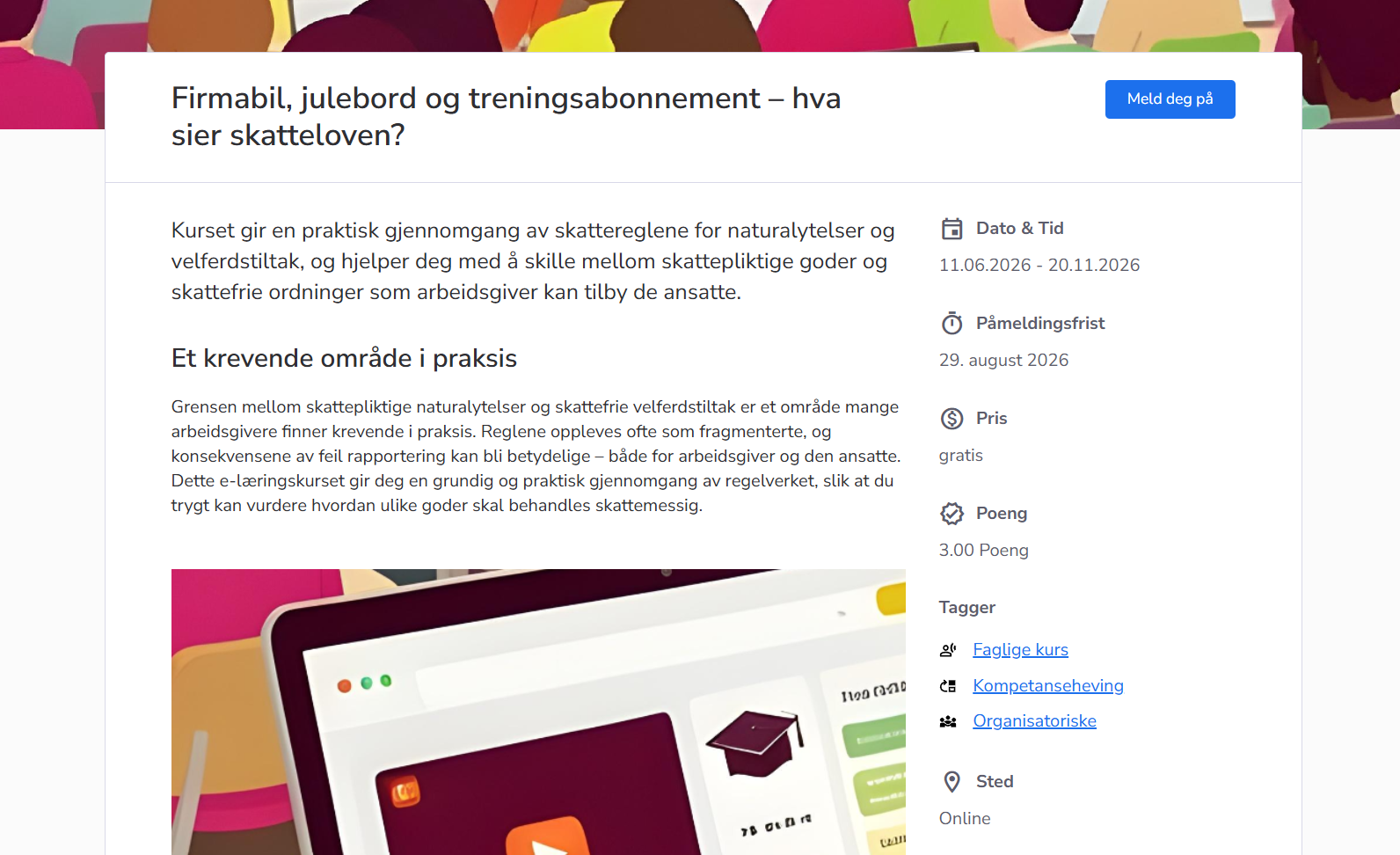
It begins on the course page, where the participant finds all the practical information: description, dates, enrolment deadline, price (if any) and how many points the course awards. From here they enrol.
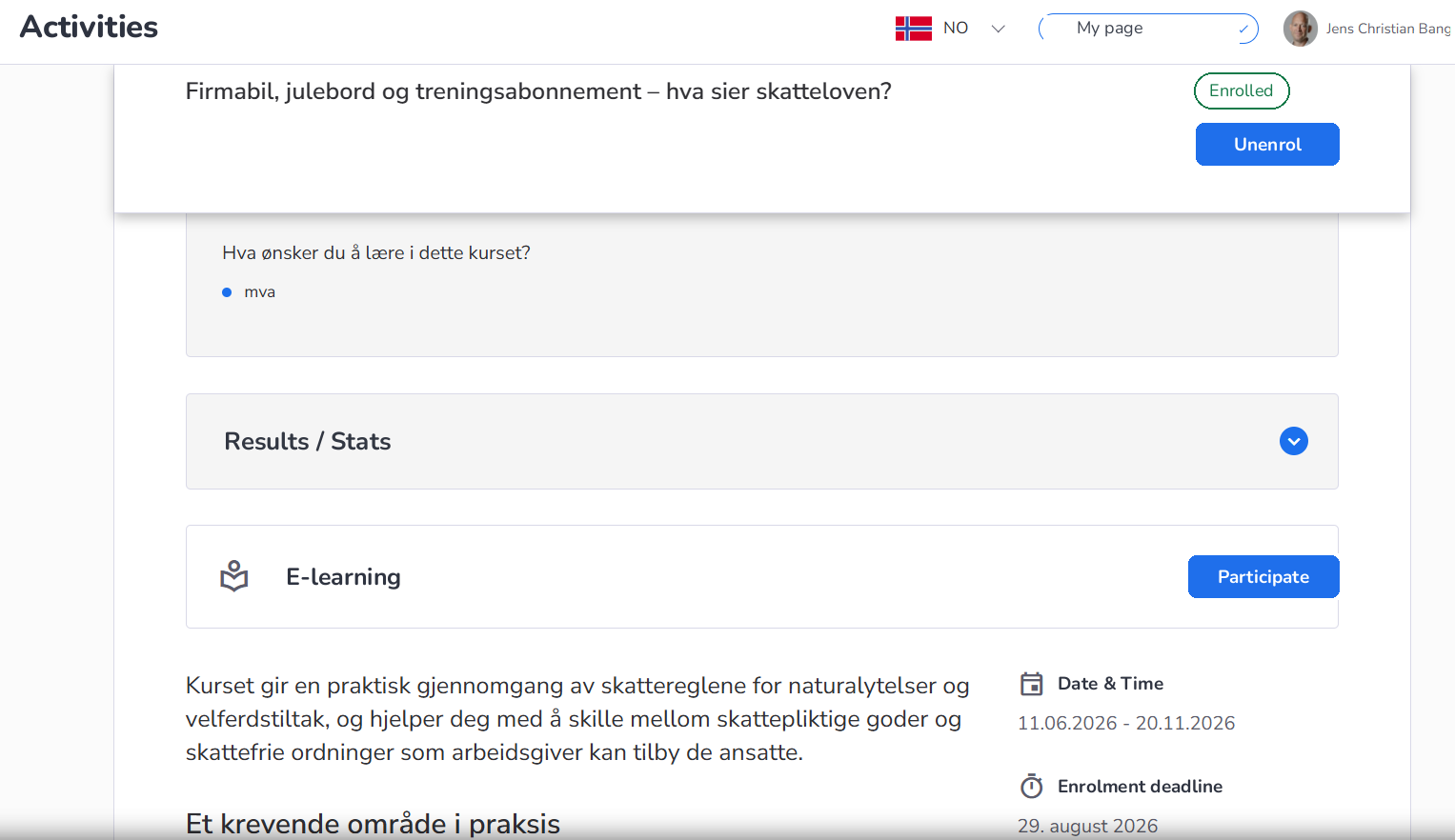
After enrolling, the participant finds the course on «My page», with a clear Participate button to start the e-learning. When the participant clicks «Participate», it is AlonLearn that initiates the launch, while the delivery happens in SCORM Cloud via the integration. The participant notices no system switch – the course opens embedded, with AlonLearn’s own branding.

Behind the scenes, privacy is handled cleanly: the participant’s information is anonymised towards SCORM Cloud. The engine only knows an ID number – not who the person actually is. That way you get professional playback and tracking without sharing personal data unnecessarily with a third party.
Integration 3: Tracking progress and results
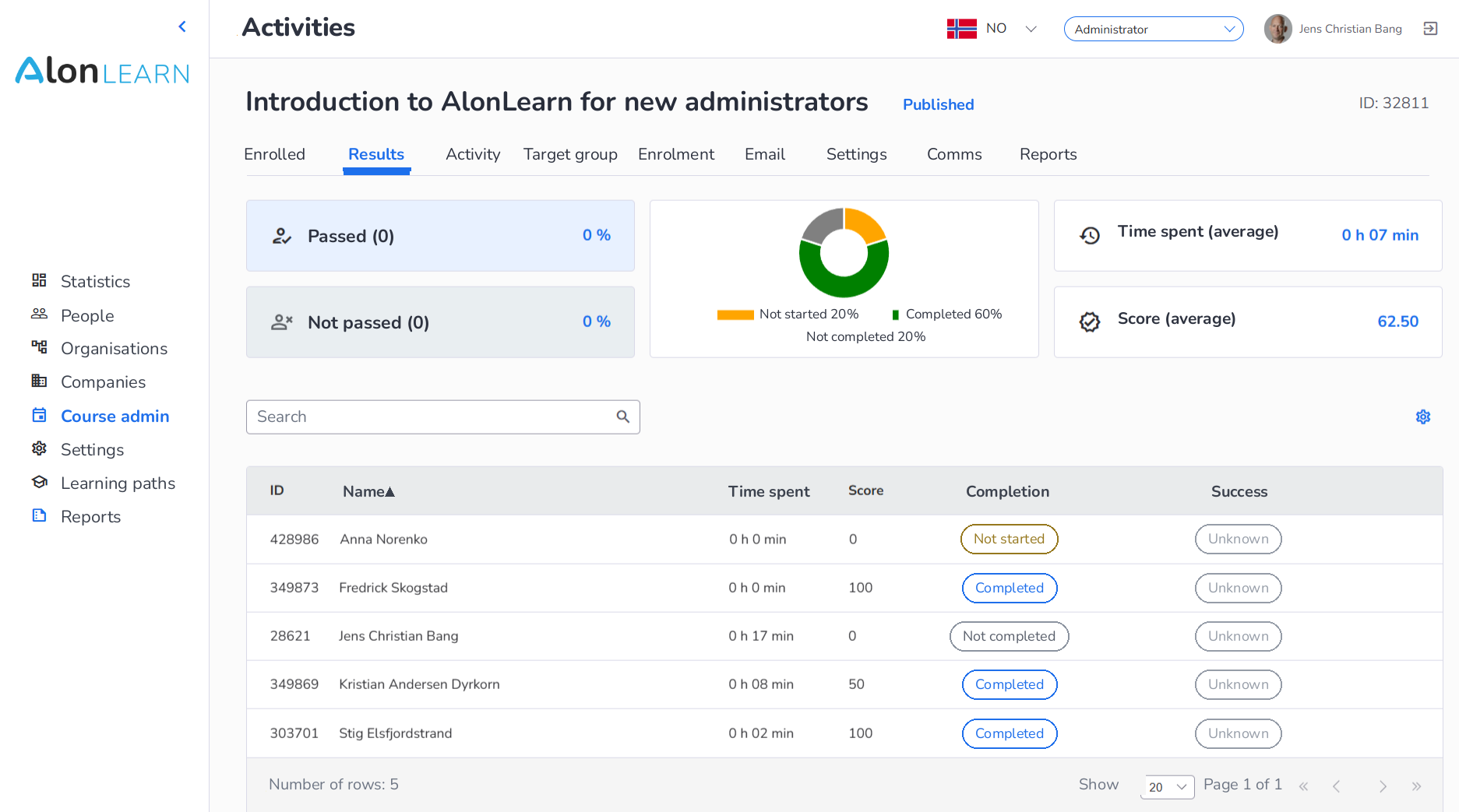
SCORM Cloud is strong on tracking: points, time spent, how far the participant has come, and whether the course is passed or not. All of this information is transferred back to AlonLearn – so both participant and administrator get it where they already work.
For the participant, that means full oversight of their own progress and results. And because progress is tracked continuously, the participant can safely take the course in several sessions: stop in the middle of a chapter, come back later, and pick up exactly where they left off.
For the course administrator or manager, the results for all participants are gathered into one overview – completion, points, time spent and passed/not passed, for the whole course or for a department.
The important thing here is that the e-learning tracking doesn’t live in isolation. It is gathered together with all the other information about the course in AlonLearn – points and hour registration, certificates and communication – so you have everything you need for follow-up and documentation in one place.
Three integrations, one experience
Together, the three integrations make the boundary between AlonLearn and SCORM Cloud disappear:
- Upload and link – upload one package, and AlonLearn handles the rest, including the seek-guard and embedded playback.
- Seamless, anonymised launch – the participant starts the course with one click, without friction and without personal data being shared unnecessarily.
- Tracking progress and results – all points, time and status are pulled back into AlonLearn, for both participant and administrator.
The participant never notices the system switch. The administrator gets full control and documentation. That’s how e-learning should work.
Want to know more?
We'll show you AlonLearn or AlonSkills in 15 minutes — tailored to your sector.